$12 a year, not $60
Any.do Premium is $4.99 a month, billed yearly. Tickbase Premium is $12 a year, and the free version already has unlimited tasks and sync on every device.
Tickbase has what people use Any.do for: lists, Today, a calendar with your own events in it, reminders and widgets. Premium is $12 a year instead of about $60, it runs on Linux too, there's no AI in it, and your tasks are encrypted on your device before they sync.

Any.do Premium is $4.99 a month, billed yearly. Tickbase Premium is $12 a year, and the free version already has unlimited tasks and sync on every device.
Any.do says your data is encrypted on its way to its servers. Tickbase encrypts every task on your device, so the server only ever holds a scrambled copy.
A habit tracker, a Pomodoro timer on every platform, countdowns, resolutions, targets and a weekly review are all built in.


Today with your own calendar's appointments between your tasks (left), and Today on the phone (right).

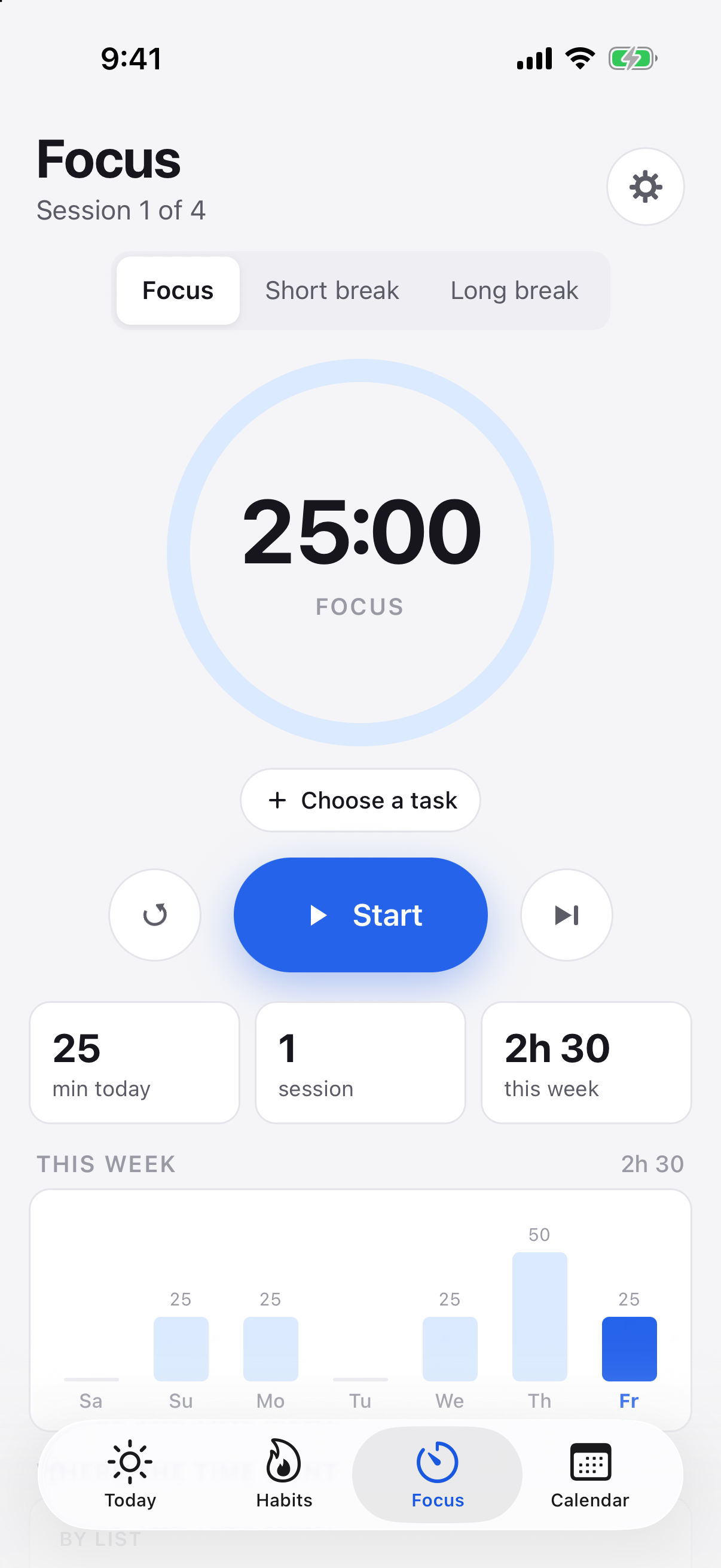
Habits with today's tick, a streak and twelve weeks of history (left), and the focus timer on the phone (right).
Every row we could check, including the ones where Any.do is ahead.
| Tickbase | Any.do | |
|---|---|---|
| Price and platforms | ||
| Paid plan, per year | $12, flat | $59.88 ($4.99 a month, billed yearly) |
| Free version | Every device, encrypted sync on sign-in; unlimited tasks, 5 lists | Free tier: no sharing |
| Free tier tasks | Unlimited | Unlimited |
| Platforms | Web, Mac, Windows, Linux, iOS, Android | Web, Mac, Windows, iOS, Android, Apple Watch, Wear OS; no Linux |
| AI features | None | ✓ Suggested lists and subtasks in Premium |
| Tasks and lists | ||
| Sections and a board (Kanban) view | ✓ Free; drag between columns on the web and desktop | Boards on the Family and team plans |
| Attachments on tasks | ✓ 10 per task, 20 MB each, 10 GB per account, encrypted · Premium | ✓ 1.5 MB a file free; larger on paid plans |
| Targets (progress towards a number, with pace against the due date) | ✓ Free | — |
| Calendar and planning | ||
| Calendar view | ✓ Month free; week and day with time blocking in Premium | ✓ Free |
| Work sessions (one task in several calendar blocks) | ✓ Premium: book as many blocks as a task needs, and it stays open until you finish it. A reminder before each block, and the time worked is recorded | — |
| Eisenhower matrix | ✓ Premium | — |
| Your calendar's events beside your tasks | ✓ One calendar free; unlimited in Premium. Phone calendars, and any iCal link on every platform | ✓ Free: the phone's calendars, or one Google, Outlook or iCloud account on the web and computer |
| Habits and focus | ||
| Resolutions (yearly goals with automatic weekly milestones) | ✓ 3 free; unlimited in Premium | — |
| Pomodoro / focus timer | ✓ Free with today's stats; full history in Premium. White, pink and brown noise, strict mode, and time broken down by list and tag | Focus Mode on phones, in Premium |
| Reviews | ||
| Weekly review | ✓ Guided, scheduled, synced across devices. The latest is free; past reviews with Premium | — |
| Export a review | ✓ Markdown or PDF, from any device (Premium) | — |
| Year in review | ✓ Every December, every platform; past years with Premium | — |
| Sharing | ||
| Shared lists | ✓ Encrypted end to end. Sharing your lists is Premium, with 4 free members each; anyone can join | Family plan (4 people) or team plans only |
| Slack and browser extensions | Coming soon | ✓ Browser extensions; Zapier in Premium |
| On your phone | ||
| Home-screen widgets | ✓ Free: today's tasks and habits you can tick, a resolution's ring and a countdown; the lock screen on iPhone | ✓ Yes |
| Privacy and your data | ||
| Encrypted at rest with per-user keys | ✓ Encrypted on your device; optional Strict mode | — Encrypted in transit; nothing more is stated |
| Lock a single list | ✓ Free. With the app lock or a passcode of its own; its tasks stay out of search, widgets and calendars until opened | — |
| Keep a list on one device, never synced | ✓ Free. Chosen when the list is made; it never reaches our server | — |
| Export your data | JSON, CSV, any time, one click | Print or PDF; CSV for archived tasks and boards |
| Ads and third-party tracking | None | Its App Store privacy label lists data used to track you |
| Who makes it, and where | Caesoose Studios, United Kingdom | Any.do Inc. |
Any.do's details were checked on 25 November 2026 against any.do and its help centre, and may have changed since. Prices are in US dollars; Any.do charges a little more in its iPhone app.
Better you hear it from us before you move.
Any.do Premium can remind you on WhatsApp, or when you arrive somewhere. Tickbase can't, yet.
Any.do has Apple Watch and Wear OS apps and browser extensions. Tickbase's Apple Watch app is coming in version 1.6; Wear OS and browser extensions aren't here yet.
Any.do has a Family plan for four and paid team workspaces with boards. Tickbase shares lists between a few people, and only the person who shares pays.
Any.do connects to Zapier and to AI assistants. Tickbase has tasks by e-mail and calendar links, and no AI, on purpose.
In the Any.do phone app, open a list, tap ⋯ → Export and copy it. Then open Import in Tickbase, choose Any.do and paste it in.
For finished tasks, Settings → Archived Tasks on Any.do's website e-mails you a CSV to upload. Step-by-step help.
Yes. The month calendar is free, and Premium adds week and day views with time blocking. One of your own calendars shows beside your tasks for free, and every one with Premium: the phone's calendars, or any iCal link.
No. No assistants, no summaries, no auto-generated subtasks, no “AI credits” tier. Natural-language quick add is plain deterministic parsing that runs on your device; it doesn't send your text anywhere.
Yes. Importing never changes anything in the app you're leaving, so keep both until you're happy. The web app works straight away, with no account and no card, and a new account gets 14 days of Premium free.
Tickbase goes back to the free version. Nothing is deleted: your tasks stay on each device you've used, you can keep using Tickbase on all of them with the free limits, and you can export everything as JSON at any point. Sync carries on either way; if you resubscribe later, the limits lift again.
Open the web app and start typing. No account, no card, no onboarding tour.