$12 a year, not $348
Motion's individual plan is $29 a month, billed yearly, with no free plan. Tickbase Premium is $12 a year, and the free version already has unlimited tasks, a month calendar and sync on every device.
Motion lets AI schedule your tasks for you, at $348 a year for one person. Tickbase leaves the plan to you: drag tasks onto your week, book a big task into several sessions, and look back with a weekly review. It's on every device including Linux, with your tasks encrypted on your device and no AI, for $12 a year.

Motion's individual plan is $29 a month, billed yearly, with no free plan. Tickbase Premium is $12 a year, and the free version already has unlimited tasks, a month calendar and sync on every device.
No AI moves your tasks around. Drag them onto the week and day calendar yourself, and book one task into as many sessions as it needs.
Every task is encrypted on your device, and Tickbase runs on Linux too, which Motion doesn't.


Today with your own calendar's appointments between your tasks (left), and a task's dates, work sessions and subtasks on the phone (right).

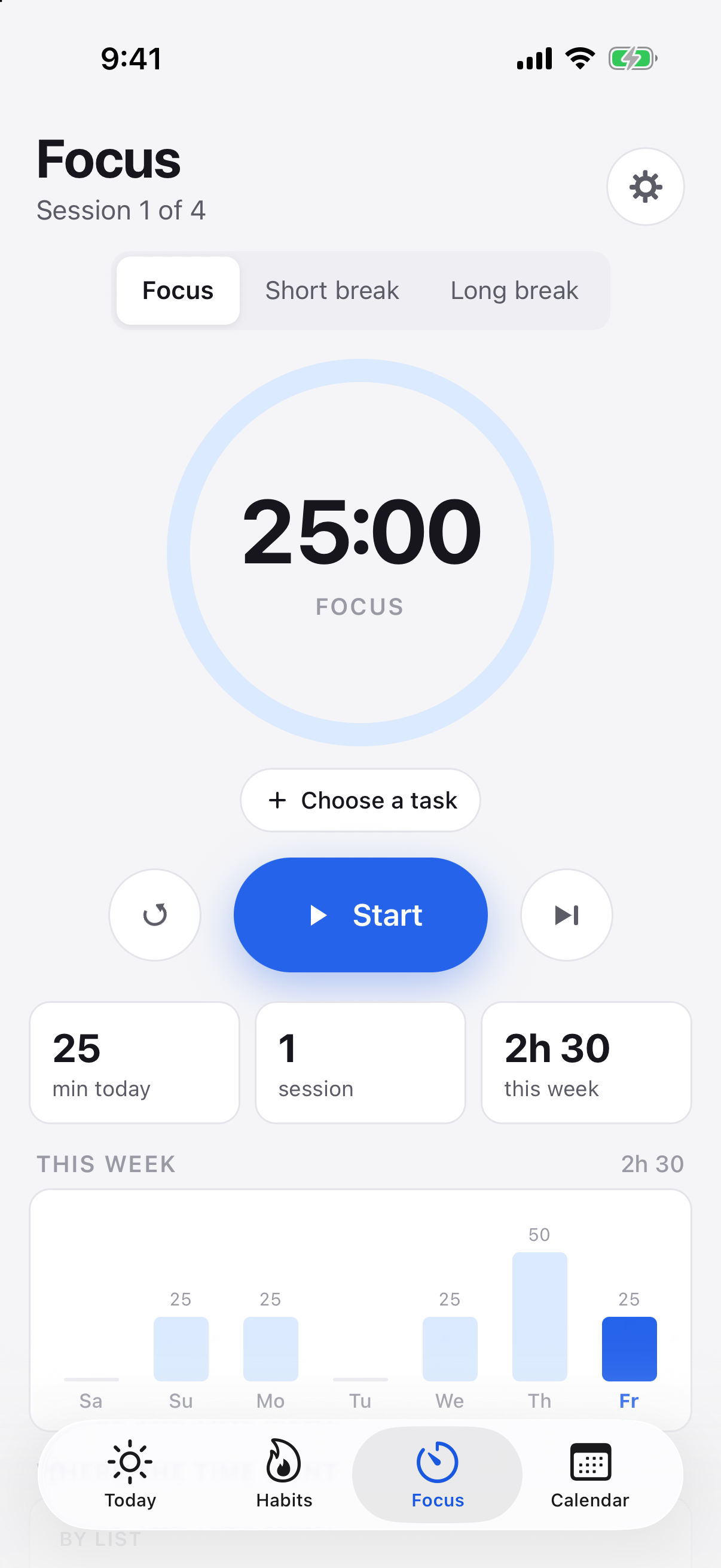
The Eisenhower matrix, with your open tasks in four quadrants (left), and the focus timer on the phone (right).
Every row we could check, including the ones where Motion is ahead.
| Tickbase | Motion | |
|---|---|---|
| Price and platforms | ||
| Paid plan, per year | $12, flat | $348 ($29 a month, billed yearly) |
| Free version | Every device, encrypted sync on sign-in; unlimited tasks, 5 lists | None; a free trial |
| Platforms | Web, Mac, Windows, Linux, iOS, Android | Web, Mac, Windows, iOS, Android; no Linux |
| AI features | None | ✓ AI scheduling, notes and assistants, with monthly credits |
| Tasks and lists | ||
| Targets (progress towards a number, with pace against the due date) | ✓ Free | — |
| Calendar and planning | ||
| Calendar view | ✓ Month free; week and day with time blocking in Premium | ✓ AI fills your calendar |
| Your calendar's events beside your tasks | ✓ One calendar free; unlimited in Premium. Phone calendars, and any iCal link on every platform | ✓ Google, Outlook and iCloud |
| Habits and focus | ||
| Resolutions (yearly goals with automatic weekly milestones) | ✓ 3 free; unlimited in Premium | — |
| Privacy and your data | ||
| Encrypted at rest with per-user keys | ✓ Encrypted on your device; optional Strict mode | — Encrypted at rest with the company's keys; no end-to-end |
| Lock a single list | ✓ Free. With the app lock or a passcode of its own; its tasks stay out of search, widgets and calendars until opened | — |
| Keep a list on one device, never synced | ✓ Free. Chosen when the list is made; it never reaches our server | — |
| Export your data | JSON, CSV, any time, one click | No export documented |
| Who makes it, and where | Caesoose Studios, United Kingdom | NexusBird, Inc. (Motion), San Francisco |
Motion's details were checked on 25 November 2026 against usemotion.com, and may have changed since.
Better you hear it from us before you move.
Motion's AI fits your tasks around your meetings and reshuffles them when things change. In Tickbase, you place them.
Motion has projects, docs, booking pages and meeting notes for teams. Tickbase is for your own lists and sharing with a few people.
Motion writes into your Google, Outlook or iCloud calendars. Tickbase shows them and writes tasks into one on your phone, but doesn't sync both ways yet.
Motion says it never trains AI on your data. Tickbase can't: your tasks are encrypted before they reach us, and there's no AI.
Motion has no export we could find, so copy your tasks and paste them into Tickbase's Import → Paste a list.
Each line becomes a task, and indented lines go with the line above them. Importing never changes anything already in Tickbase, so you can try it as many times as you like.
Yes, with Premium: drag tasks onto the week or day calendar, beside your own calendars' events. Work sessions book one task into several blocks, with a reminder before each, and record the time you worked.
No. No assistants, no summaries, no auto-generated subtasks, no “AI credits” tier. Natural-language quick add is plain deterministic parsing that runs on your device; it doesn't send your text anywhere.
Yes. Importing never changes anything in the app you're leaving, so keep both until you're happy. The web app works straight away, with no account and no card, and a new account gets 14 days of Premium free.
Tickbase goes back to the free version. Nothing is deleted: your tasks stay on each device you've used, you can keep using Tickbase on all of them with the free limits, and you can export everything as JSON at any point. Sync carries on either way; if you resubscribe later, the limits lift again.
Open the web app and start typing. No account, no card, no onboarding tour.