No AI, on purpose
Superlist uses Google Gemini, OpenAI and Deepgram for its AI features. Tickbase has none, and never sends your tasks anywhere to be read.
Superlist comes from Wunderlist's founders, and it's heading towards AI: meeting notes, chat and summaries. Tickbase goes the other way, with no AI at all, your tasks encrypted on your device, and apps for Windows and Linux as well as the Mac, phones and the web, for $12 a year.

Superlist uses Google Gemini, OpenAI and Deepgram for its AI features. Tickbase has none, and never sends your tasks anywhere to be read.
Superlist has apps for the Mac and phones, and the web. Tickbase also has desktop apps for Windows and Linux.
Every task is encrypted on your device, so our server only ever holds a scrambled copy. Superlist doesn't offer end-to-end encryption.


A list in Tickbase on the web, subtask and all (left), and Today on the phone (right).

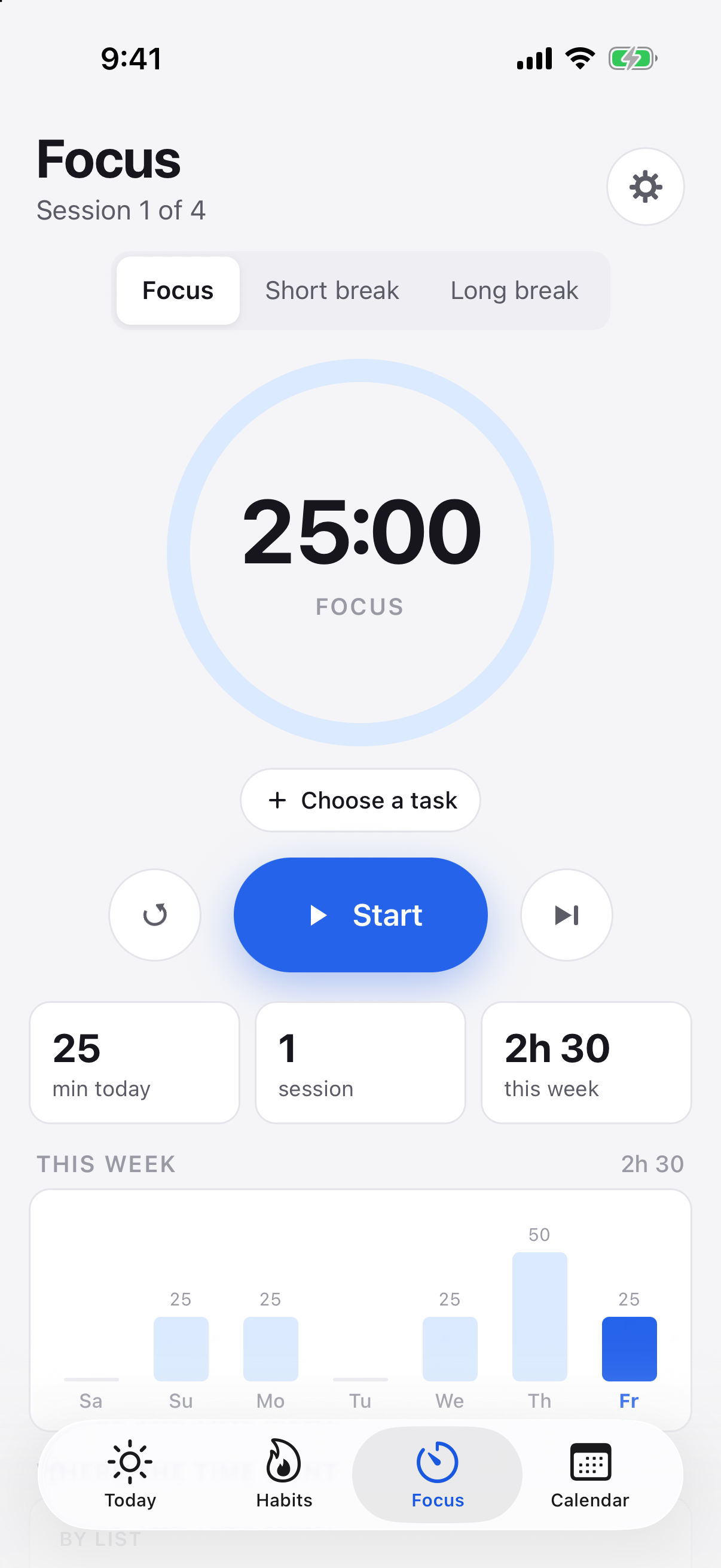
Habits with today's tick, a streak and twelve weeks of history (left), and the focus timer on the phone (right).
Every row we could check, including the ones where Superlist is ahead.
| Tickbase | Superlist | |
|---|---|---|
| Price and platforms | ||
| Paid plan, per year | $12, flat | $59 for Basic; $199 for Super |
| Free version | Every device, encrypted sync on sign-in; unlimited tasks, 5 lists | Free tier: 5 lists, 5 people per shared list |
| Platforms | Web, Mac, Windows, Linux, iOS, Android | Web, Mac, iOS, Android; no Windows or Linux |
| AI features | None | ✓ Voice AI in Basic; meeting notes, AI chat and summaries in Super |
| Tasks and lists | ||
| Targets (progress towards a number, with pace against the due date) | ✓ Free | — |
| Calendar and planning | ||
| Work sessions (one task in several calendar blocks) | ✓ Premium: book as many blocks as a task needs, and it stays open until you finish it. A reminder before each block, and the time worked is recorded | — |
| Eisenhower matrix | ✓ Premium | — |
| Your tasks in Google or Apple Calendar | ✓ Free: the phone writes them into a calendar you choose, which your Google or iCloud account carries everywhere; a one-off .ics on the web and desktop | ✓ Google Calendar, both ways |
| Habits and focus | ||
| Habit tracker | ✓ 3 free; unlimited in Premium | — |
| Resolutions (yearly goals with automatic weekly milestones) | ✓ 3 free; unlimited in Premium | — |
| Countdown | ✓ 3 free; unlimited in Premium. Your own photo behind it, encrypted like your notes | — |
| Reviews | ||
| Weekly review | ✓ Guided, scheduled, synced across devices. The latest is free; past reviews with Premium | — |
| Export a review | ✓ Markdown or PDF, from any device (Premium) | — |
| Year in review | ✓ Every December, every platform; past years with Premium | — |
| Sharing | ||
| Shared lists | ✓ Encrypted end to end. Sharing your lists is Premium, with 4 free members each; anyone can join | ✓ Free, up to 5 people |
| Email-to-task | ✓ Premium. Sealed for your devices the moment it arrives; attachments come along | ✓ E-mail forwarding |
| Slack and browser extensions | Coming soon | ✓ Slack, Gmail, GitHub, Linear |
| Privacy and your data | ||
| Encrypted at rest with per-user keys | ✓ Encrypted on your device; optional Strict mode | — Encrypted on its way; nothing more is stated |
| Lock a single list | ✓ Free. With the app lock or a passcode of its own; its tasks stay out of search, widgets and calendars until opened | — |
| Keep a list on one device, never synced | ✓ Free. Chosen when the list is made; it never reaches our server | — |
| Export your data | JSON, CSV, any time, one click | No export in the app |
| Who makes it, and where | Caesoose Studios, United Kingdom | Superlist Software GmbH, Berlin |
Superlist's details were checked on 25 November 2026 against superlist.com, and may have changed since.
Better you hear it from us before you move.
Superlist shares lists with up to 5 people on its free plan. In Tickbase, sharing your own list needs Premium, and the people you invite join free.
Superlist syncs due dates with Google Calendar in both directions. Tickbase shows your calendars and writes tasks into one on your phone, but doesn't sync both ways yet.
Superlist connects to Slack, Gmail, GitHub and Linear. Tickbase has tasks by e-mail and calendar links, and not much more yet.
If you'd like AI meeting notes and summaries, Superlist has them. Tickbase never will.
Superlist has no export in the app, so copy your tasks from a list and paste them into Tickbase's Import → Paste a list.
Each line becomes a task, and indented lines go with the line above them. Importing never changes anything already in Tickbase, so you can try it as many times as you like.
No. No assistants, no summaries, no auto-generated subtasks, no “AI credits” tier. Natural-language quick add is plain deterministic parsing that runs on your device; it doesn't send your text anywhere.
Yes: desktop apps for Windows, Mac and Linux, plus the iPhone, iPad and Android apps and the web app, all synced for free. Download.
Yes. Importing never changes anything in the app you're leaving, so keep both until you're happy. The web app works straight away, with no account and no card, and a new account gets 14 days of Premium free.
Tickbase goes back to the free version. Nothing is deleted: your tasks stay on each device you've used, you can keep using Tickbase on all of them with the free limits, and you can export everything as JSON at any point. Sync carries on either way; if you resubscribe later, the limits lift again.
Open the web app and start typing. No account, no card, no onboarding tour.